Help › Service reminders
Service reminders
Service reminders are emails sent automatically to leaseholders before and after their flat’s hot water cylinder service is due. Each can include a personal link where the leaseholder records the service and uploads the certificate themselves.
How reminders work
- A flat’s service is due 12 months after its latest recorded service.
- Each reminder goes a set number of days before the due date, on it, or after it. A typical set is 30 days before, on the day, and 14 days after. A separate reminder can go to flats with no service recorded, on the 1st of each month.
- Reminders go automatically at 9am to every current leaseholder of the flat (not tenants), each separately, and only once per due date.
- As soon as a new service is recorded (by you, or by the leaseholder through their link), the due date moves on a year and the remaining reminders stop.
- Reminders go to people who’ve unsubscribed from newsletters, but never to addresses that have bounced or reported spam.
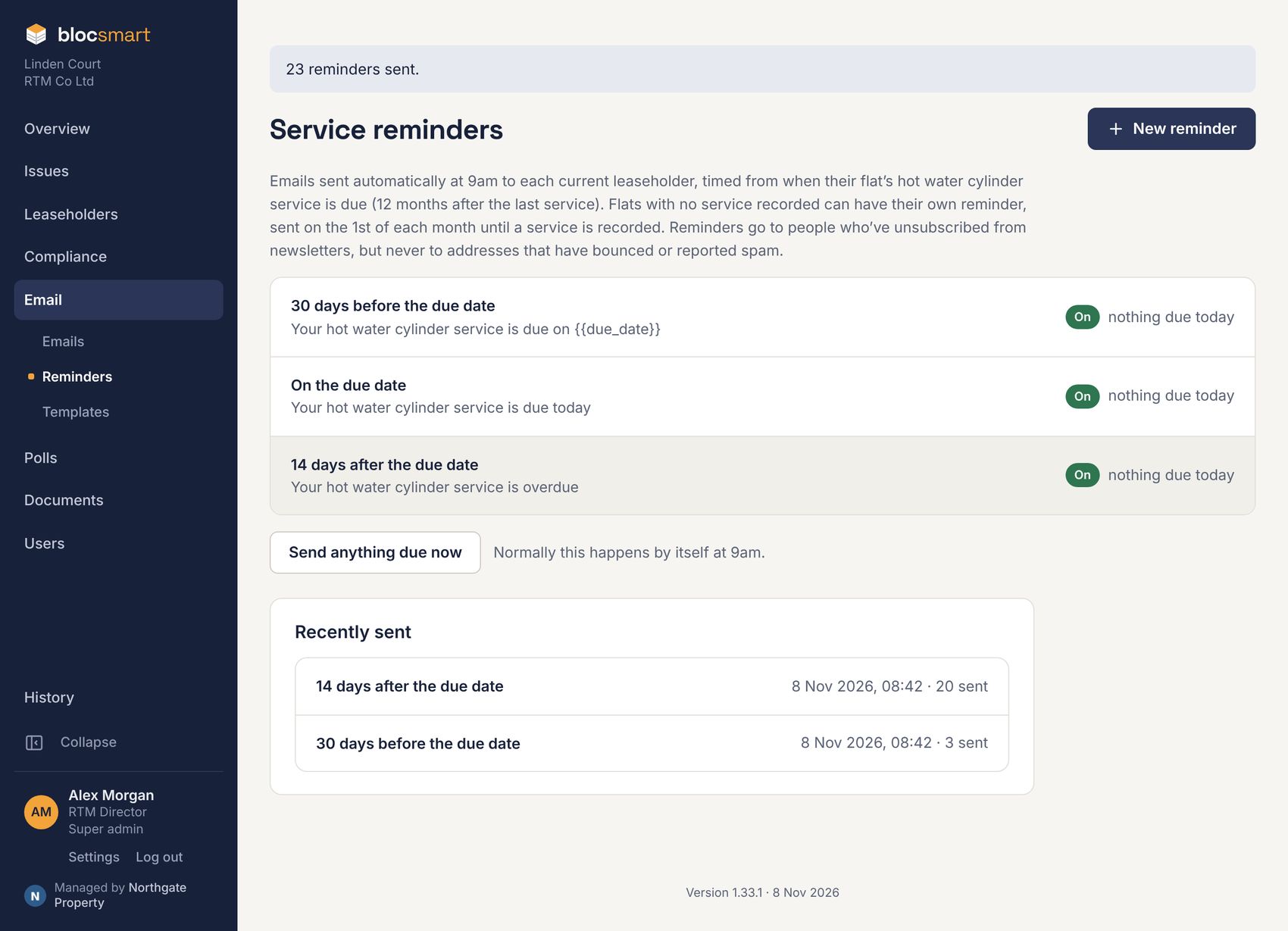
Creating a reminder
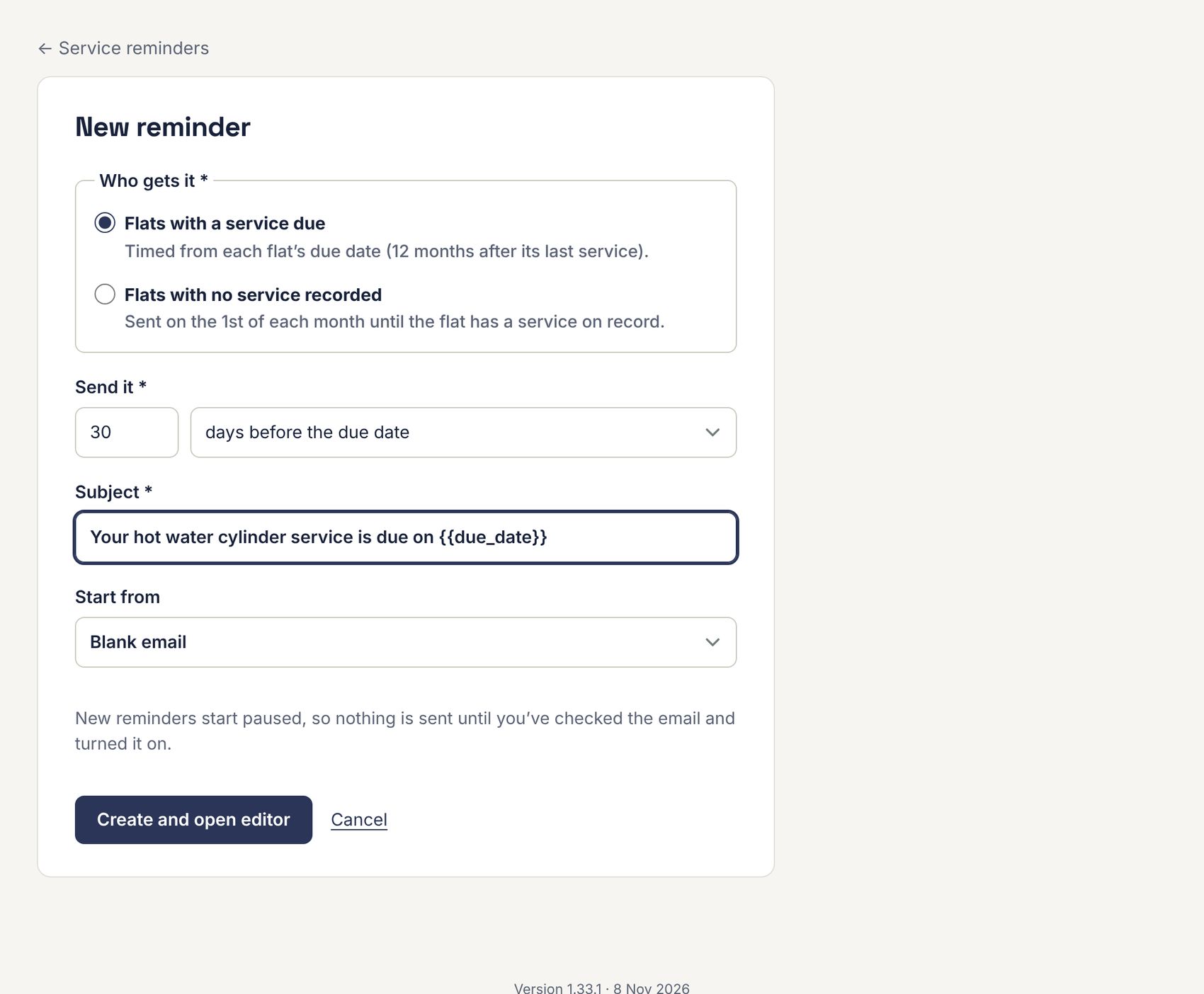
- Go to Email › Reminders and press New reminder.
- Under Who gets it, choose Flats with a service due or Flats with no service recorded.
- Under Send it, enter the number of days and choose before or after the due date, or choose on the due date.
- Type the Subject, for example “Your hot water cylinder service is due on {{due_date}}”.
- Choose a template to start from and press Create and open editor.
- Design the email. Add a button linked to
{{upload_url}}so the leaseholder can send their certificate. Press Save, then ← Back.
| Extra merge tag | Becomes |
|---|---|
{{flat}} | The flat number. |
{{due_date}} | The date the service is (or was) due. |
{{last_serviced}} | The date it was last serviced. |
{{upload_url}} | The leaseholder’s personal link to the upload page (see What leaseholders see). |
Checking and turning a reminder on
New reminders start paused. The reminder’s page lists exactly who would get it at the next 9am send.
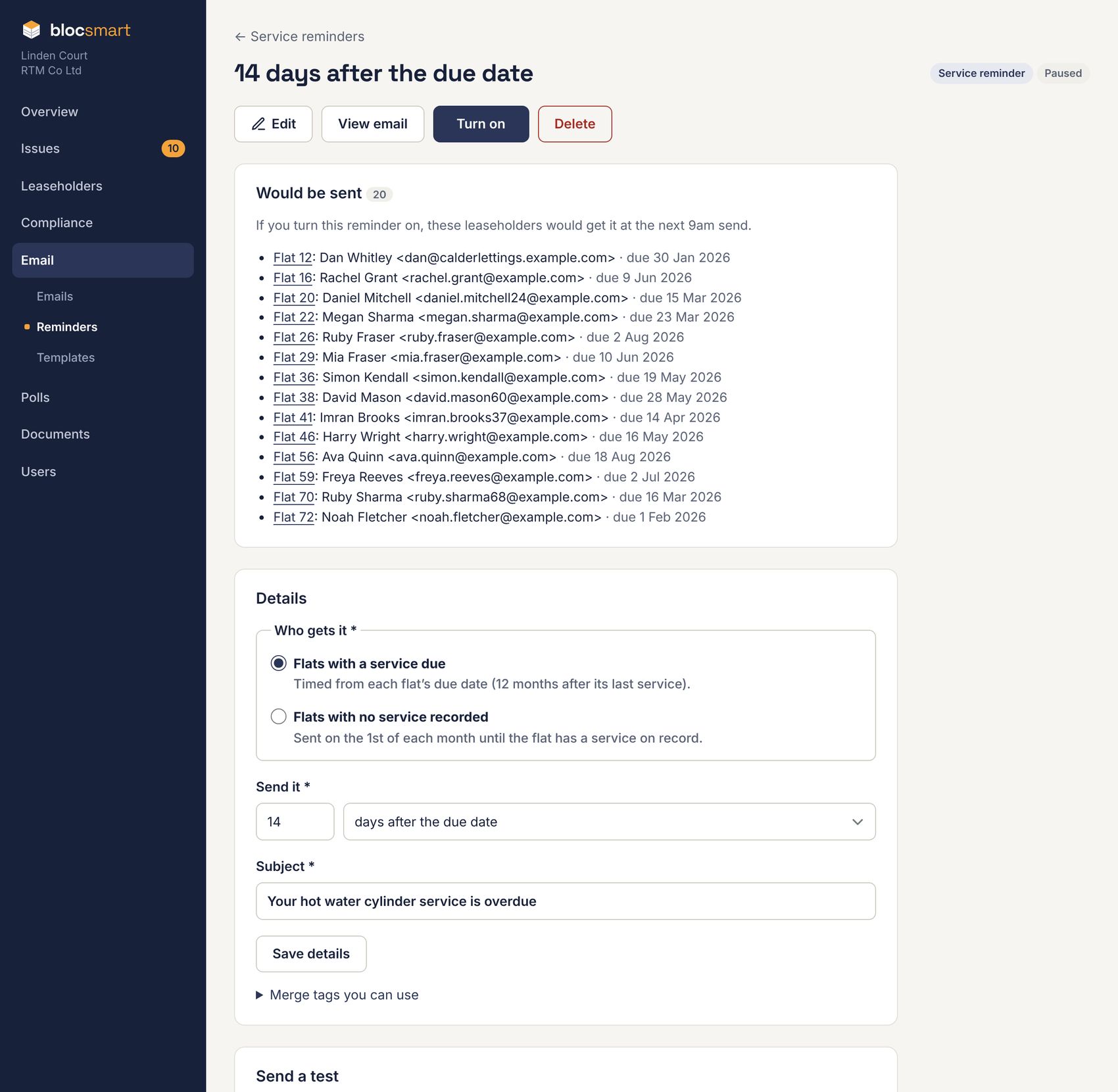
- Press View email to preview it, and Send test to email yourself a copy. The upload link in a test works for real, for the leaseholder you chose.
- Check the Would be sent list.
- Press Turn on. Press Pause at any time to stop it.
When you first turn on an “after the due date” reminder, every flat that is already overdue gets it at the next send, however long ago the due date was. Check the list first.
Reminders send themselves at 9am. To send anything due straight away, press Send anything due now on the Reminders page. Each run is listed under Recently sent; click one for its results and recipients. Reminders also appear in each leaseholder’s email history.
What leaseholders see
The leaseholder gets your email with a button to upload their certificate. It opens a simple page that works on a phone and needs no login. They enter the date it was serviced, upload the certificate and, if they like, who serviced it, and press Send.
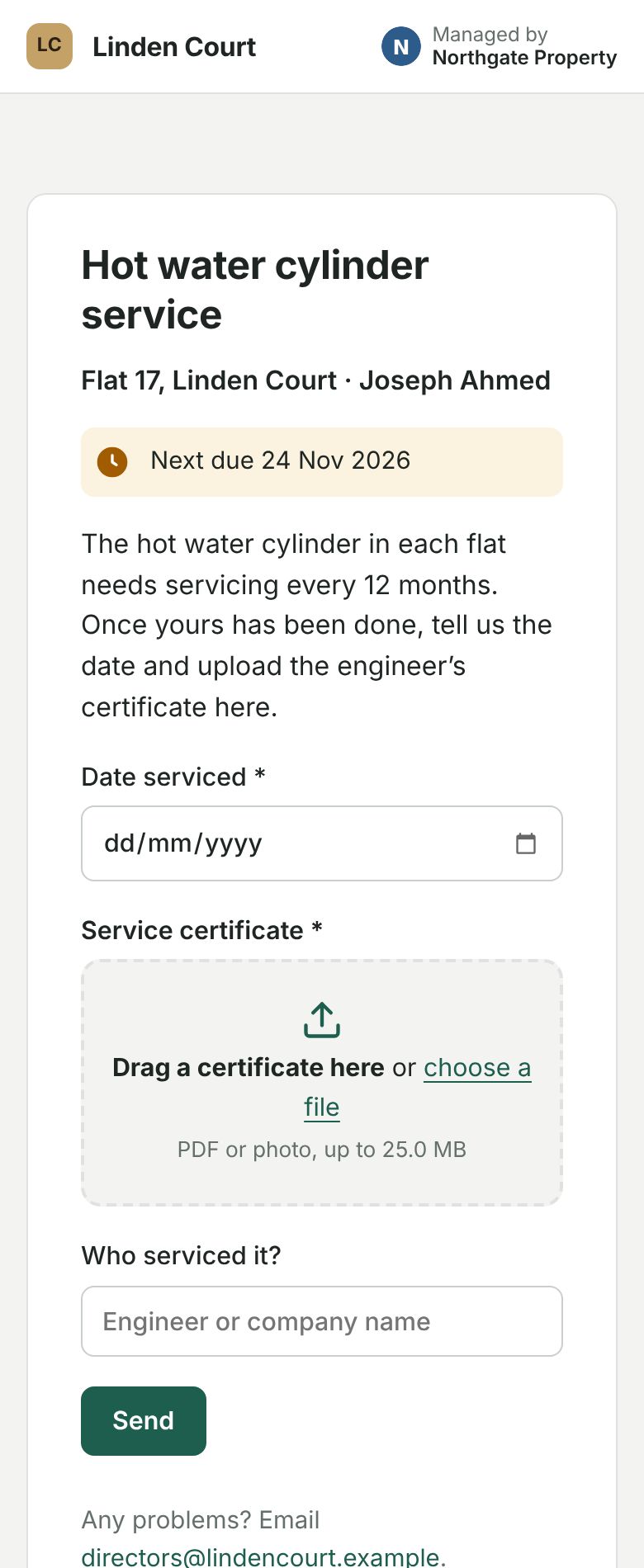
The service counts straight away, so the flat becomes compliant and its reminders stop. It’s flagged Needs checking until someone checks the certificate (see Checking certificates sent in by leaseholders).
Each link belongs to one leaseholder and one flat. It stops working once they’re recorded as moved out, and it can only add a service: it never shows any other information.